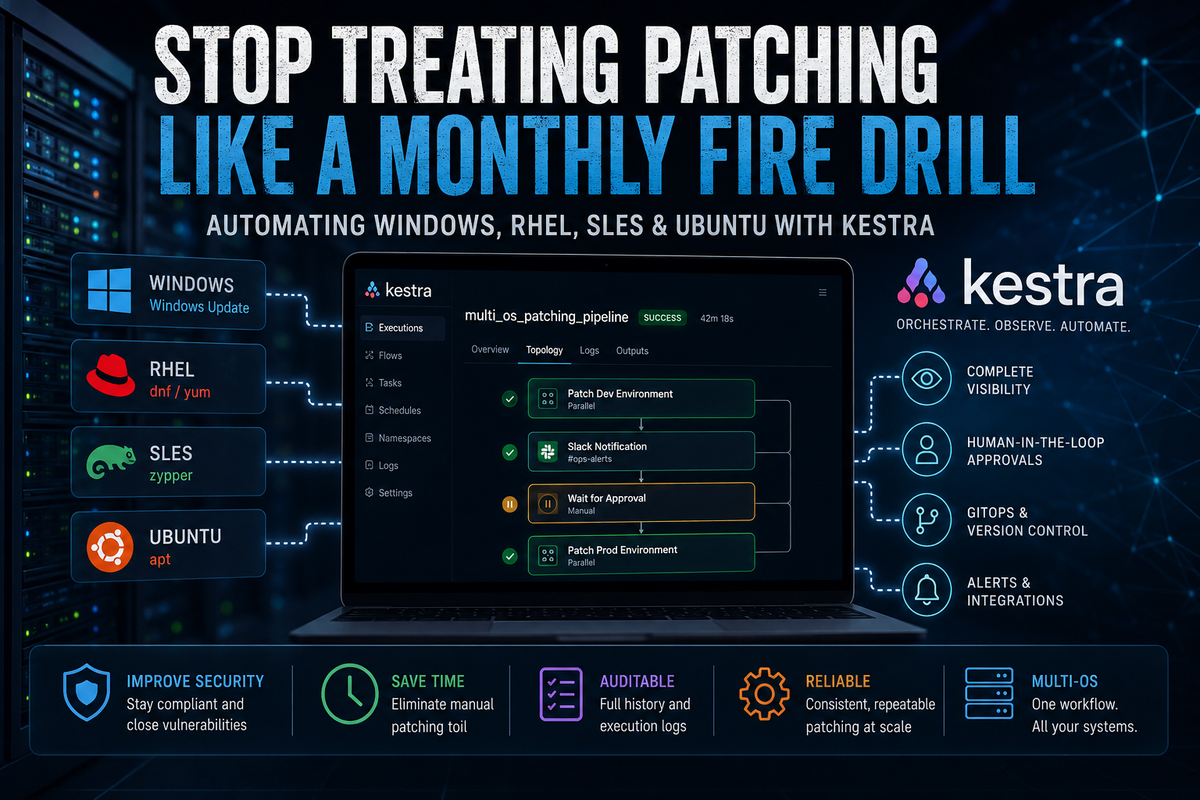
Stop Treating Patching Like a Monthly Fire Drill: Automating Windows, RHEL, SLES & Ubuntu with Kestra
Managing Windows, Ubuntu, RHEL, and SLES patching shouldn't require juggling scripts and maintenance windows. Learn how Kestra orchestrates multi-platform patch management with approval workflows, GitOps, and complete execution visibility.

Every infrastructure team knows the ritual.
It's the second Tuesday of the month. The maintenance window opens. Coffee is brewing, Slack starts filling with notifications, and suddenly you're juggling four completely different operating systems.
One server is installing Windows Updates.
Another is waiting for apt upgrade.
A RHEL machine is stuck resolving a dnf dependency.
Meanwhile, a SLES server is complaining about a broken zypper repository.
By midnight you've executed dozens of commands, copied log files into tickets, and crossed your fingers that every machine comes back online.
The frustrating part?
None of this work is particularly valuable.
Patching is essential for security and compliance, but the operational process remains surprisingly manual—even in organizations that have heavily invested in automation.
So why is multi-platform patch management still such a challenge?
The Real Problem Isn't Patching
The package managers aren't the problem.
Neither is Windows Update.
The real problem is orchestration.
Every operating system already has excellent native tooling:
- Windows Update / PowerShell
aptfor Debian and Ubuntudnf(oryum) for Red Hat Enterprise Linuxzypperfor SUSE Linux Enterprise Server
The difficulty begins when you're responsible for all of them at the same time.
Most organizations eventually end up maintaining:
- Ansible playbooks
- PowerShell scripts
- Scheduled cron jobs
- Jenkins pipelines
- WSUS
- Salt or Puppet
- Manual maintenance checklists
Each component works reasonably well in isolation.
Together, they create operational complexity.
Why Open-Source Patch Management Often Falls Short
Many excellent open-source tools exist.
The problem is that most are designed around a particular ecosystem.
Linux-Centric Solutions
Projects such as Uyuni, Foreman or Spacewalk descendants provide outstanding lifecycle management for Linux environments.
However, Windows typically requires separate tooling and workflows.
Instead of a unified process, administrators end up maintaining two independent automation stacks.
Different Package Managers, Different Problems
Ubuntu uses apt.
RHEL uses dnf.
SLES relies on zypper.
Each behaves differently when repositories fail, packages become locked, or dependency conflicts occur.
Even when automation platforms support multiple distributions, edge cases quickly appear once enterprise repositories, mirrors, or custom packages enter the picture.
Automation Without Governance
Many organizations automate patching by simply scheduling Ansible playbooks.
That works—until something fails halfway through.
Typical problems include:
- Playbooks stopping after a package conflict
- Partial deployments across production clusters
- No approval before production rollout
- No centralized execution history
- Difficult troubleshooting months later during audits
Automation is only part of the solution.
Operational governance matters just as much.
Think in Layers Instead of Tools
Rather than searching for a mythical "single patch management platform," consider separating responsibilities.
Layer 1: Execution
Use the best tool for each operating system.
- Ansible
- Salt
- PowerShell
- Native package managers
- Vendor APIs
Let each technology do what it already does well.
Layer 2: Orchestration
Instead of replacing those tools, orchestrate them.
This is where Kestra becomes interesting.
Kestra doesn't patch servers.
It orchestrates patching workflows.
That distinction is important.
Why Kestra Fits Enterprise Infrastructure
Kestra is an event-driven workflow orchestration platform designed to coordinate tasks across heterogeneous environments.
Rather than reinventing your automation, it becomes the control plane sitting above it.
Complete Visibility
Instead of dozens of disconnected cron jobs and Jenkins pipelines, every execution appears in a centralized interface.
If an Ansible task fails because dpkg is locked, the failure is immediately visible.
Logs, outputs and execution history are stored together, making troubleshooting significantly easier.
Human Approval Gates
Not every production deployment should be fully automatic.
Kestra supports approval checkpoints directly inside workflows.
A typical enterprise pipeline might look like this:
- Patch Development
- Run validation tests
- Notify Operations
- Wait for approval
- Patch Production
- Notify stakeholders
No custom scripting required.
GitOps-Friendly Workflows
Kestra workflows are defined in YAML.
That means:
- version controlled
- peer reviewed
- auditable
- reproducible
Infrastructure automation becomes software rather than tribal knowledge hidden inside shell scripts.
Example: Multi-Platform Patch Workflow
A simplified workflow might:
- patch Linux development servers using Ansible
- execute Windows Updates through PowerShell
- notify Slack when development completes
- pause for manual approval
- continue with production patching
- generate execution reports
id: multi_os_patching_pipeline
namespace: systemwatchers.infrastructure

tasks:
  - id: patch_dev_environment
    type: io.kestra.core.tasks.flows.Parallel

    tasks:

      - id: linux
        type: io.kestra.plugin.scripts.shell.Commands
        commands:
          - ansible-playbook patch_linux.yml

      - id: windows
        type: io.kestra.plugin.scripts.shell.Commands
        commands:
          - pwsh Invoke-WindowsUpdate.ps1

  - id: approval
    type: io.kestra.core.tasks.flows.Pause

  - id: patch_production
    type: io.kestra.core.tasks.flows.Parallel
The actual implementation can be significantly more sophisticated, incorporating maintenance windows, health checks, CMDB integration, monitoring validation, rollback logic, and ITSM ticket creation.
The Bigger Picture
The future of infrastructure automation isn't about replacing Ansible, PowerShell, Salt, or package managers.
It's about coordinating them.
As enterprise environments become increasingly hybrid—mixing cloud, on-premises, containers, Windows, and multiple Linux distributions—the orchestration layer becomes the real differentiator.
Instead of maintaining dozens of independent scripts, infrastructure teams can build repeatable, observable, and governed workflows that scale across the entire estate.
The package manager still does the patching.
Kestra manages the process.
That's a subtle difference—but an important one.
Final Thoughts
Nobody became a systems administrator because they enjoy babysitting patch windows.
Your expertise is better spent improving reliability, security, and automation—not manually tracking which server still needs a reboot.
By combining native operating system tools with a workflow orchestrator such as Kestra, patching evolves from a monthly firefight into a predictable, auditable operational process.
If you're building modern infrastructure automation—from SAP landscapes and enterprise databases to Linux clusters, Windows Server fleets, and cloud-native platforms—you'll find practical guides, real-world architectures, and production-ready examples here at System Watchers.
Subscribe to the newsletter and receive new deep dives on enterprise monitoring, automation, observability, and infrastructure engineering delivered directly to your inbox.