Oracle OCI Base Database Service: The Complete Guide to Patching, Upgrading, and Database Lifecycle Management
Master lifecycle management in Oracle OCI Base Database Service. Learn expert best practices for OS patching, Grid Infrastructure maintenance, Data Guard strategies, and major database upgrades from 19c to 26ai.

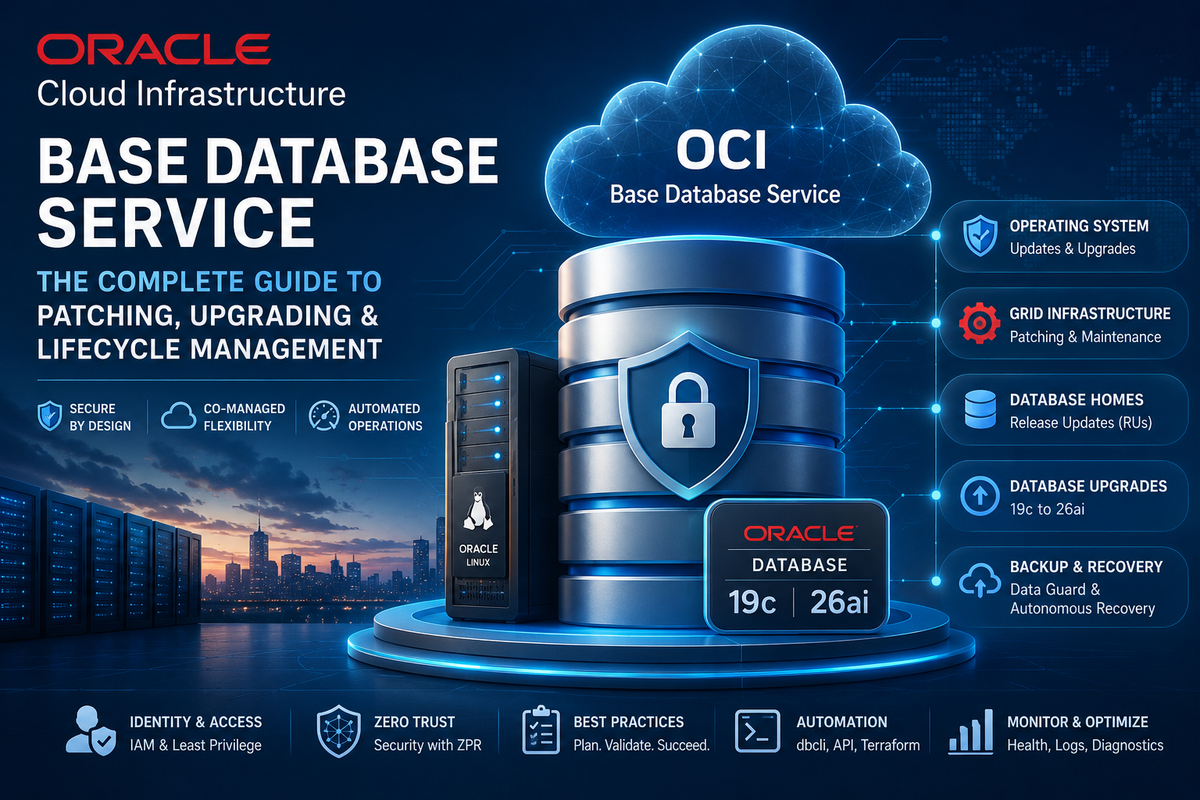
Keeping Oracle databases secure isn't just about applying patches—it's about orchestrating infrastructure, operating systems, Grid Infrastructure, and database software without compromising business continuity.
As organizations continue migrating mission-critical workloads to Oracle Cloud Infrastructure (OCI), understanding how Oracle's Base Database Service manages updates has become an essential skill for every DBA.
Unlike fully managed Autonomous Database, OCI Base Database Service follows a co-managed model, giving administrators full control over when and how maintenance occurs while Oracle automates the heavy lifting.
Let's explore what every Oracle DBA should know.
The Co-Managed Approach: You're Still in Control
One of the biggest misconceptions about OCI Base Database Service is that Oracle patches everything automatically.
It doesn't.
Oracle manages the infrastructure and provides automated tooling, but you remain responsible for scheduling maintenance windows, validating backups, testing applications, and approving upgrades.
This balance offers the flexibility enterprises need while dramatically reducing operational complexity.
Understanding OCI's Layered Architecture
Oracle separates lifecycle management into independent layers:
- 🖥 Operating System (Oracle Linux)
- ⚙️ Grid Infrastructure (Clusterware & ASM)
- 🗄 Oracle Database Home
- 📦 Individual Databases
This separation provides significant flexibility.
For example:
- Apply Linux security patches without changing database binaries.
- Upgrade Oracle Database Release Updates (RUs) without touching the operating system.
- Maintain RAC infrastructure independently from database software.
This modular design minimizes downtime while simplifying maintenance planning.
Before You Patch: Preparation Is Everything
Successful maintenance starts long before clicking Update.
Oracle recommends verifying several prerequisites:
- ✅ Manual database backup completed
- ✅ Automatic backup jobs not currently running
- ✅ Minimum 15 GB free space in
/u01 - ✅ Database in ARCHIVELOG mode
- ✅ Flashback Database enabled
- ✅ Grid Infrastructure healthy
- ✅ Object Storage connectivity available
- ✅ IAM permissions correctly configured
Skipping these checks is one of the most common reasons update jobs fail.
Operating System Updates vs OS Upgrades
Not every update is equal.
Routine OS Patching
Routine maintenance installs:
- Security patches
- Kernel updates
- Bug fixes
- Package updates
These are relatively straightforward and are automated through OCI.
Major Oracle Linux Upgrades
Moving from Oracle Linux 7 to Oracle Linux 8 is a completely different process.
Oracle actually provisions a new compute instance, migrates your data disks, and replaces the operating system.
This means:
- Custom Linux users disappear
- Custom cron jobs are lost
- Monitoring agents must be reinstalled
- Third-party packages require validation
Treat OS upgrades like infrastructure migrations—not simple patches.
Database Release Updates (RUs)
Oracle Release Updates are the foundation of database maintenance.
During an RU:
- Oracle patches the Oracle Home
datapatchupdates the data dictionary- Database compatibility remains unchanged
One important detail many administrators overlook:
If the database is shut down during patching, datapatch will not execute automatically, requiring manual intervention afterward.
Major Database Upgrades
Upgrading from Oracle Database 19c to Oracle AI Database 26ai involves much more than installing new binaries.
OCI automatically performs:
- Pre-upgrade validation
- Guaranteed Restore Point creation
- New Database Home provisioning
- Database migration
- Dictionary upgrades
- Rollback preparation
One particularly smart design choice is that Oracle does not automatically raise the COMPATIBLE parameter.
This allows administrators to validate applications before committing to irreversible database features.
Only after successful testing should COMPATIBLE be increased.
Oracle Data Guard Requires a Different Strategy
If you're using Data Guard, upgrade planning changes significantly.
Oracle recommends:
- Upgrade the standby first
- Switch Data Guard to Maximum Performance
- Upgrade the primary
- Validate synchronization
- Return to Maximum Availability
Following this sequence dramatically simplifies rollback should anything go wrong.
Backups Are Your Safety Net
Perhaps the most surprising fact:
Launching a patch or upgrade does NOT automatically create a backup.
Oracle explicitly recommends:
- Disable scheduled backups temporarily
- Execute a fresh manual backup
- Verify backup completion
- Start maintenance
For organizations requiring aggressive recovery objectives, Autonomous Recovery Service adds real-time redo protection and long-term retention capabilities extending up to ten years.
Command-Line Automation with dbcli
Many experienced DBAs prefer automation over graphical interfaces.
OCI includes the powerful dbcli utility, allowing administrators to:
- Check available patches
- Perform prechecks
- Apply OS updates
- Patch Grid Infrastructure
- Upgrade Database Homes
- Monitor job execution
- Collect diagnostics
This makes dbcli an excellent candidate for enterprise automation using Ansible, Terraform, or custom orchestration frameworks.
Common Reasons OCI Updates Fail
Even with Oracle automation, failures still happen.
Typical causes include:
- Insufficient disk space
- Missing IAM permissions
- Backup jobs running
- Network connectivity issues
- Object Storage access failures
- Cluster health problems
- Package dependency conflicts
- Custom operating system modifications
Fortunately, OCI provides detailed diagnostic logs and automated collection tools to accelerate troubleshooting.
Best Practices for Enterprise DBAs
To minimize risk during lifecycle management:
- ✔ Always perform a manual backup before maintenance
- ✔ Validate Flashback Database is enabled
- ✔ Test updates in non-production first
- ✔ Keep Grid Infrastructure ahead of Database Home versions
- ✔ Document custom OS modifications before major upgrades
- ✔ Monitor free filesystem space
- ✔ Automate repetitive maintenance with Infrastructure as Code
- ✔ Validate application compatibility before increasing COMPATIBLE
Final Thoughts
Oracle Cloud Infrastructure Base Database Service strikes an excellent balance between automation and administrative control.
Rather than hiding lifecycle management behind a black box, Oracle provides powerful automation while leaving critical operational decisions in the hands of experienced DBAs.
For enterprises running SAP, Oracle E-Business Suite, custom ERP systems, or mission-critical workloads, understanding the distinctions between OS patching, Grid Infrastructure maintenance, Database Release Updates, and major upgrades is essential for maintaining availability, security, and compliance.
Organizations that combine OCI's automation capabilities with disciplined operational procedures can significantly reduce maintenance risk while keeping their Oracle environments secure, modern, and resilient.